WooCommerce & OrderCtrl

Love WooCommerce? Us too.

Keep your store, your theme and your data. OrderCtrl gives your customers an experience that feels like your brand: clear tracking, quick fixes when something goes wrong, and changes they can make themselves. Customers who trust you come back.

Love WooCommerce?

Us too.

It’s open, it’s yours, and you can build almost anything on it. We build on it every day, and OrderCtrl doesn’t ask you to move anywhere.

  • Your store, your hosting, your customer data
  • No platform fee on your sales
  • Any theme, any checkout, any extension

Tired of wp-admin and plugins?

Us too.

Most stores add a plugin for tracking, another for returns, one for protection, one for emails and a few more for customer changes. Your team juggles their screens, and your customers see a different page for each one.

  • One order, spread across several plugin boxes
  • Refunds, cancels and replacements done by hand
  • Customers email you for things they could do themselves

Why it matters

A better experience earns the next order.

Most of what customers remember about a store happens once they’ve paid: did it arrive, did they know where it was, and how did you handle it when something went wrong.

Trust

Customers always know where every box is and what happens next. Late or lost packages are spotted early, and customers hear from you before they have to ask.

Credibility

Tracking, returns, account and subscriptions on one portal with your logo, colors and domain, and emails in the same style. It feels like one brand, because it is.

Customers who come back

Problems get a fair fix in a few taps. Subscribers skip, swap or pause instead of cancelling. A good experience after a problem is a reason to order again.

See the difference

The same store, side by side.

Drag the handle to compare wp-admin with OrderCtrl on the screens your team opens all day.

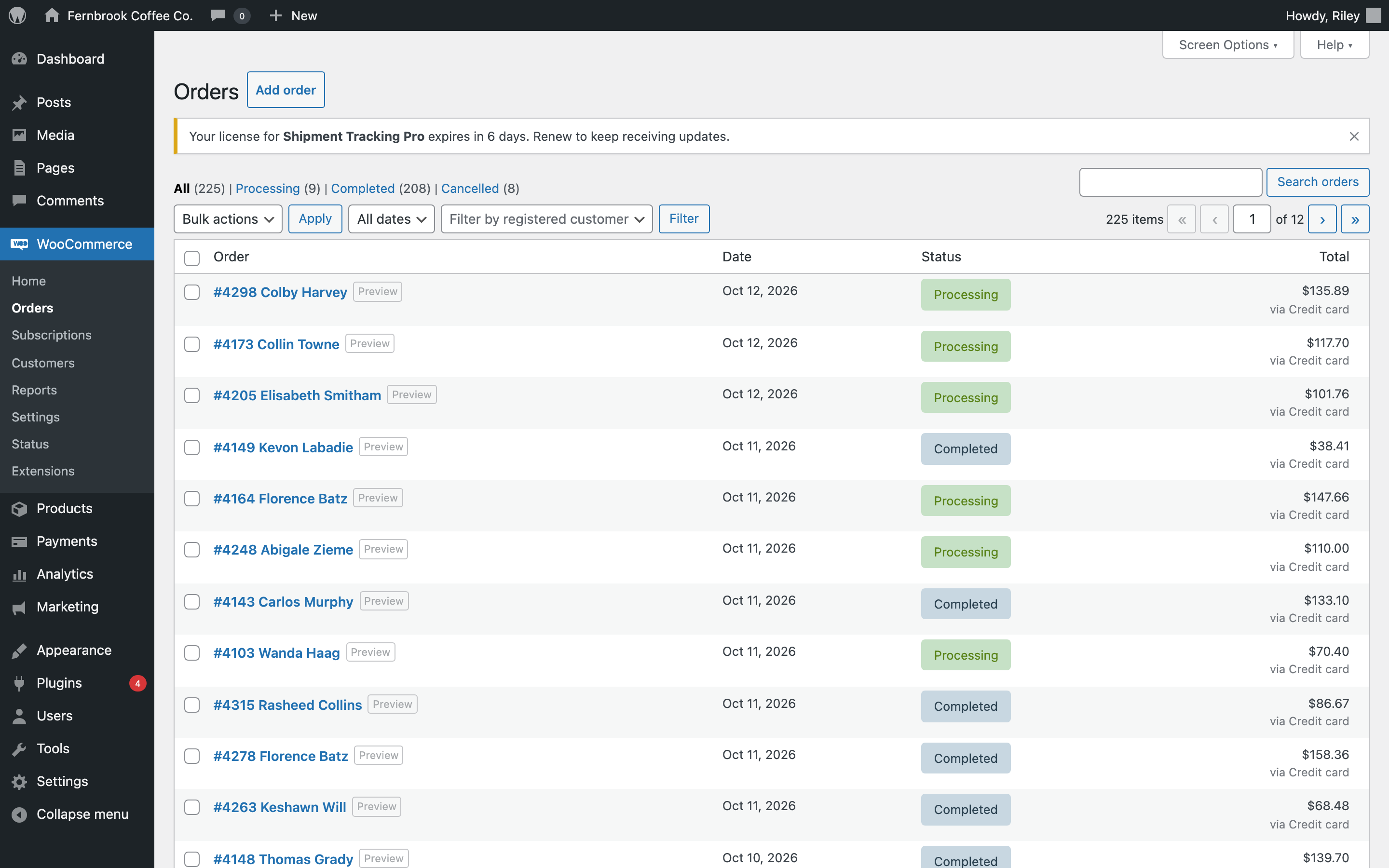
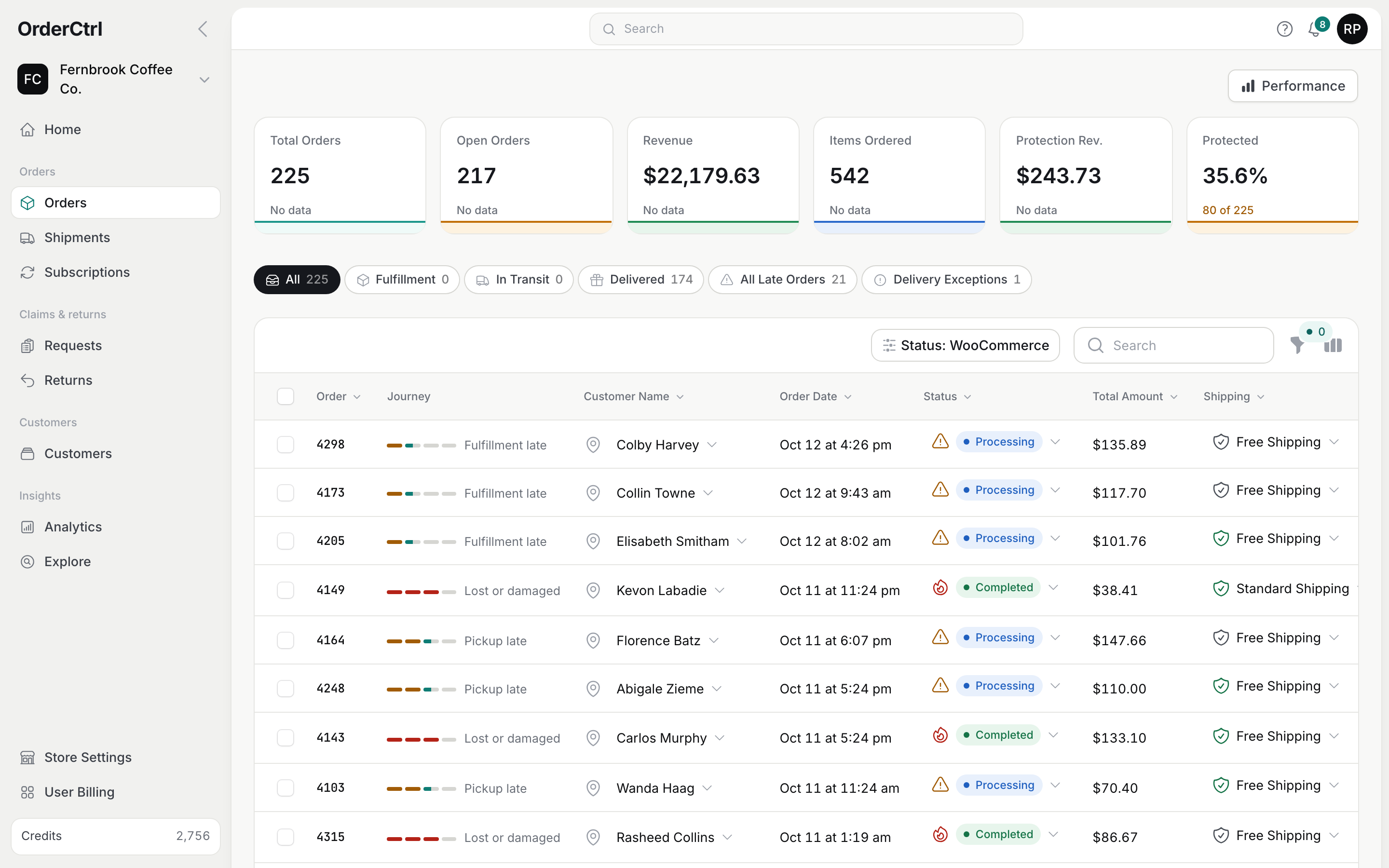
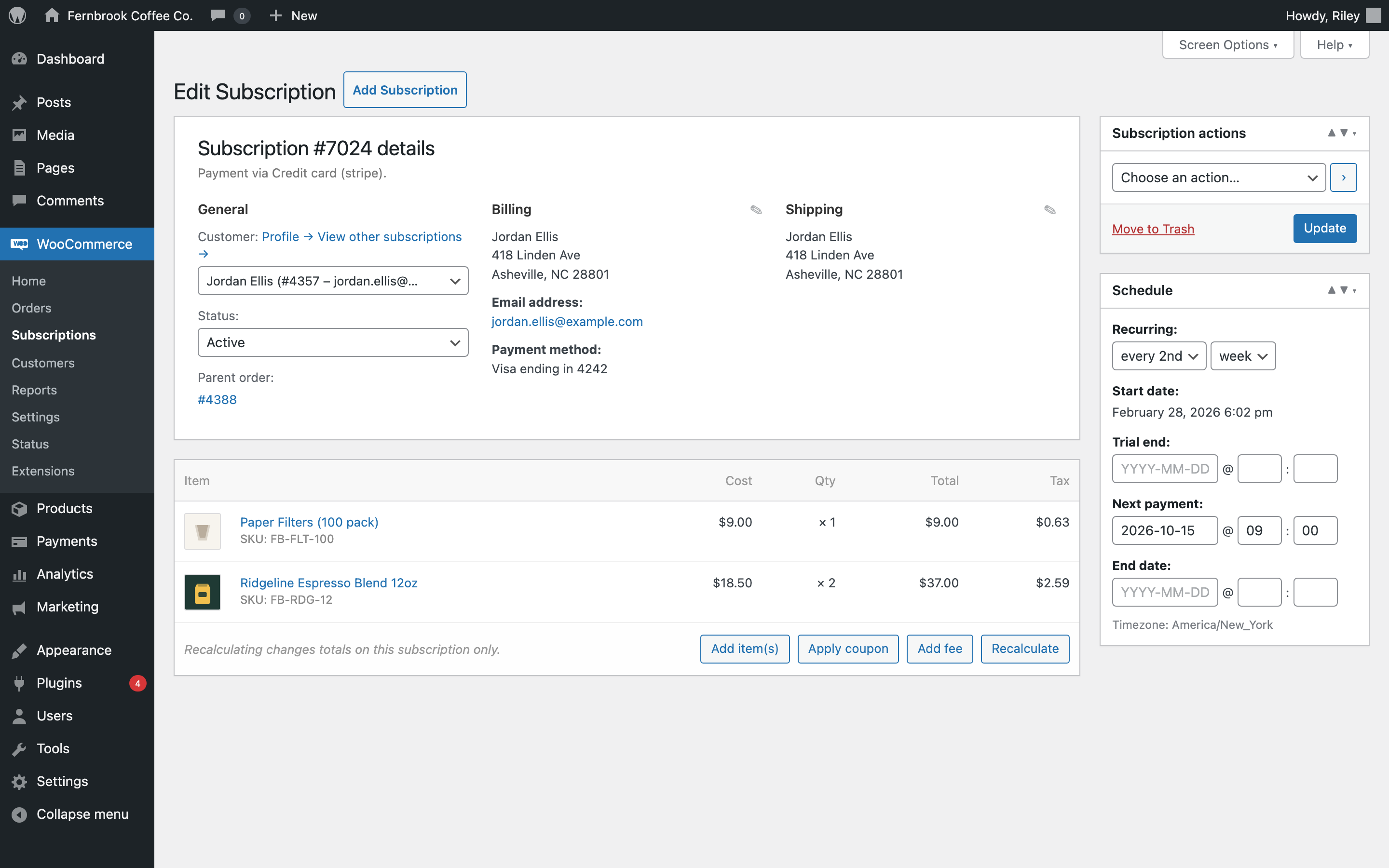
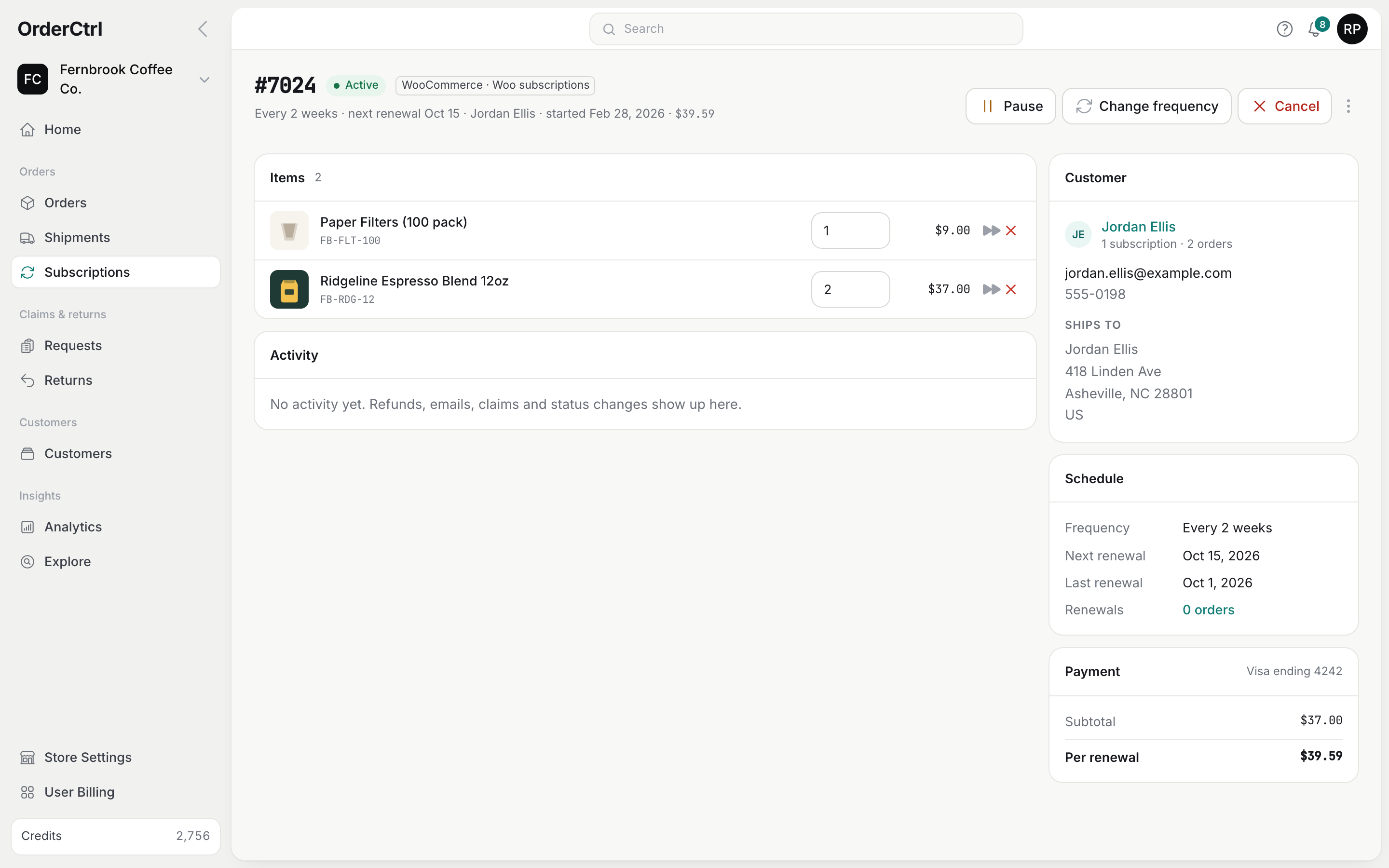
wp-admin Orders list: order number and customer, date, a Processing or Completed status and the total, with a plugin license notice above. OrderCtrl Orders list: order metrics, tabs for fulfillment, in transit, delivered, late orders and delivery exceptions, and each order’s journey, customer, status and shipping. wp-adminOrderCtrl

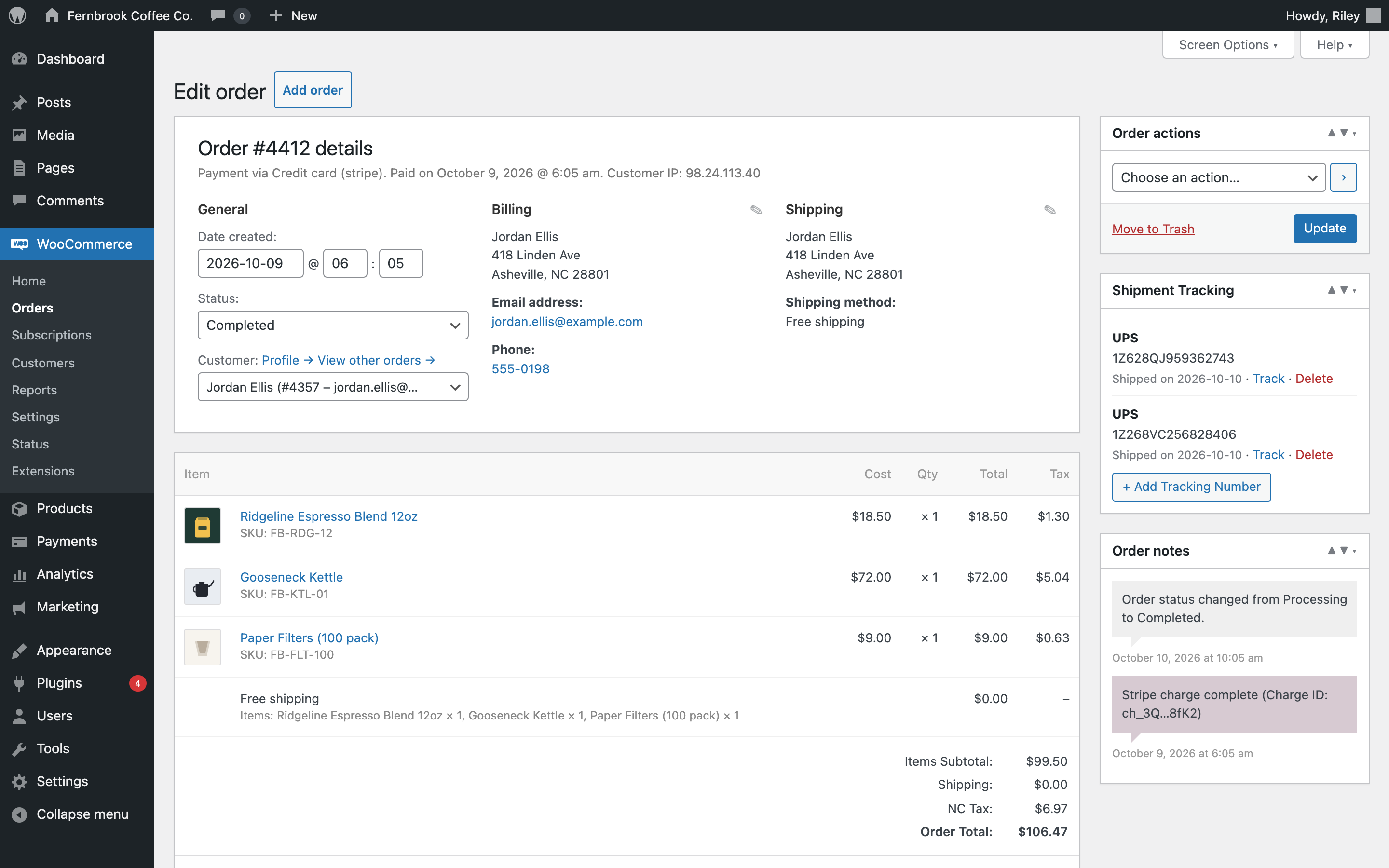
wp-admin shows the order, date, store status and total. Whether it shipped, is late or has a problem means opening it.

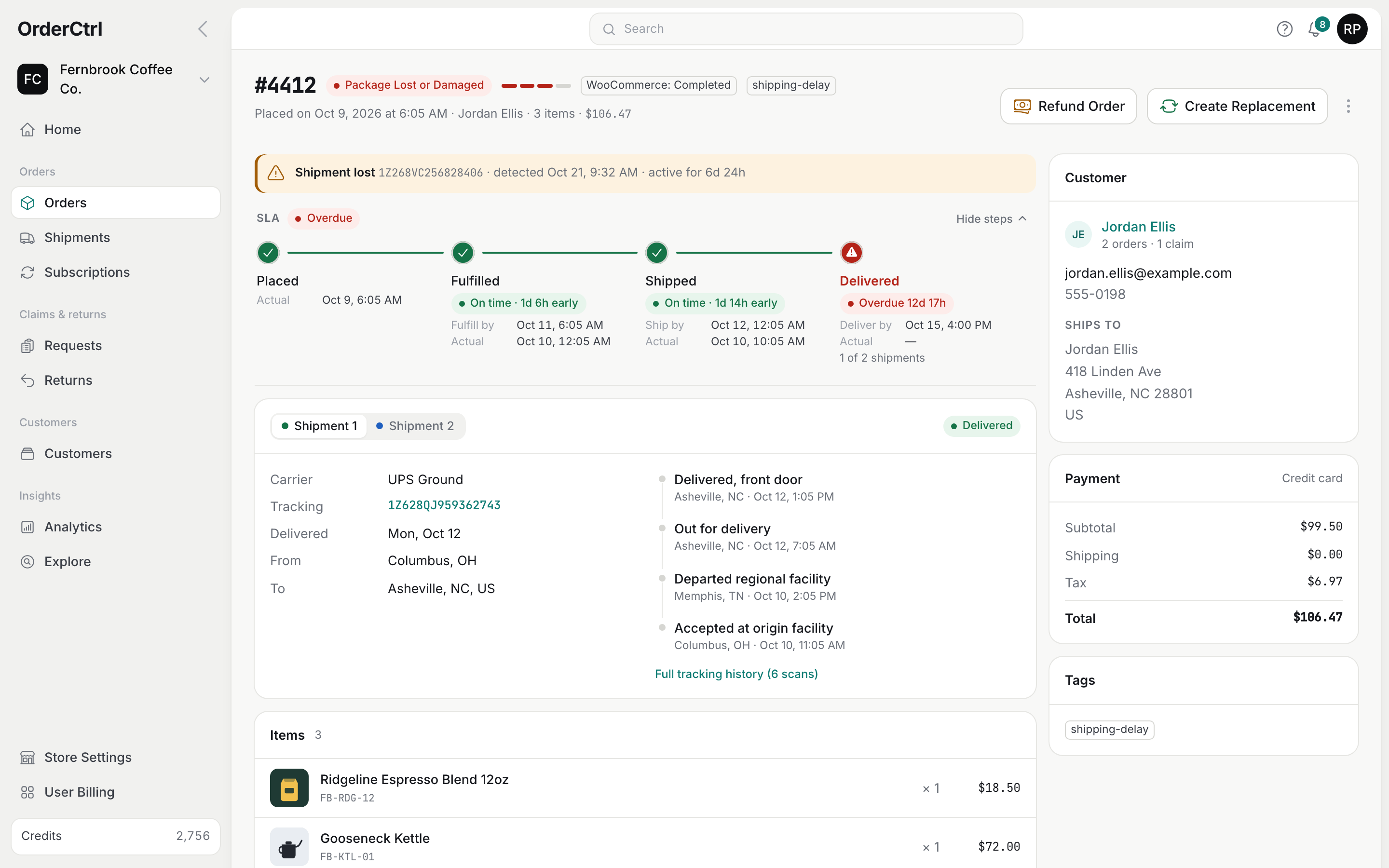
  • Each order’s journey at a glance: placed, fulfilled, in transit, delivered
  • Late orders and delivery problems flagged, with a tab for each
  • Customer, items and tracking open in place, without leaving the list

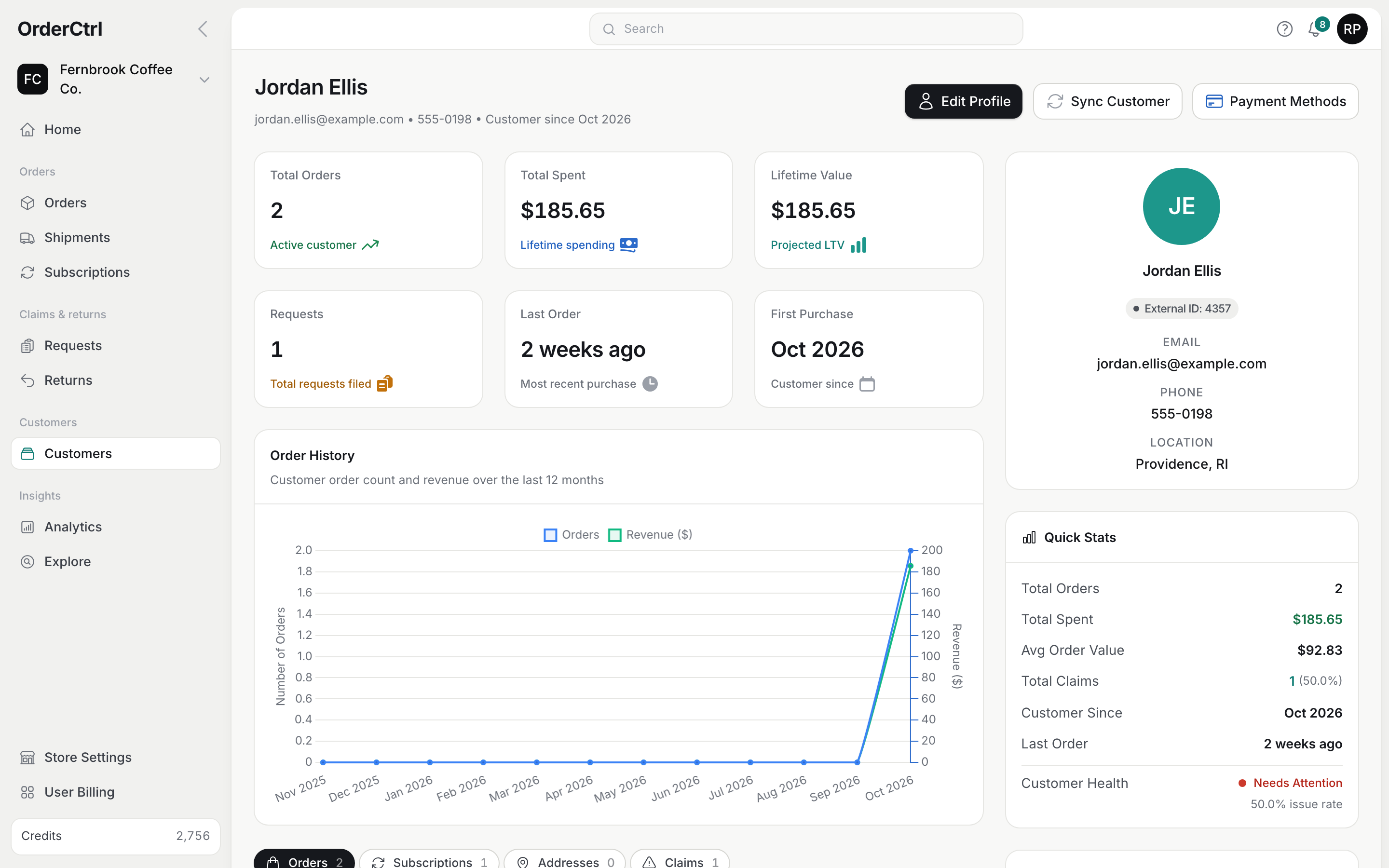
Same Fernbrook Coffee Co. demo store on both sides. The wp-admin screens are recreations of WooCommerce 9 and WooCommerce Subscriptions with one tracking plugin installed.

What OrderCtrl adds

A better experience, for customers and your team.

It all runs on your WooCommerce orders, and every change OrderCtrl makes is saved back to your store.

Customer portal

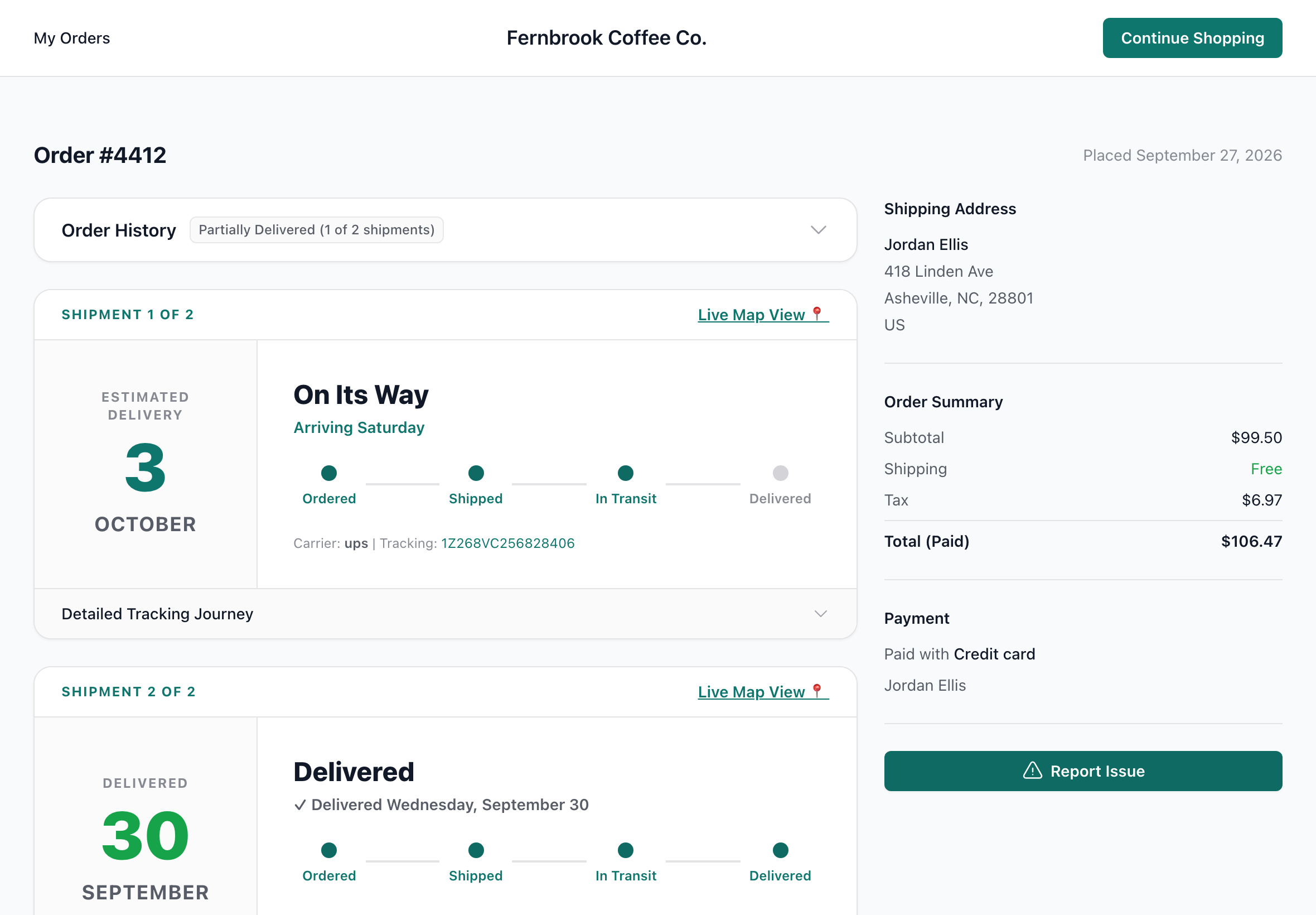
A branded, phone-first page for every order: status, scans, a map, returns and changes. Customers sign in with an email code, on your own domain.

Shipping & tracking

Buy and print labels on the order, or add a tracking number. Every box is tracked across 50+ carriers, and the number is saved to WooCommerce.

Returns & claims

Your claim policies decide who can file, what you ask for and what you offer: a refund, store credit or a replacement, with a prepaid label when you need the item back.

Customer self-service

Customers cancel, change their address or report a problem from the portal, inside the time limits and rules you set. You approve what needs approving.

Subscription changes

Skip, pause, reschedule, swap a product, change how often it ships and edit items, for your team and your customers, on WooCommerce Subscriptions.

Proactive emails

Spot late fulfillment and stalled or lost packages, then email the customer, alert your team or open a claim. Branded emails for every step.

Package protection

Offer protection at checkout with your own pricing and widget. You keep the whole fee, and protected orders can follow their own claim rules.

Address validation

Shipping addresses are checked after checkout, with a suggested correction when one looks wrong, before the label is bought.

Faster order actions

Refund, cancel, send a replacement or change the address from the order. Money, stock and the customer email are handled in the same step.

One order timeline

Every scan, email, claim, refund and change synced from WooCommerce on one timeline per order, with edits shown as before and after.

Analytics

Fulfillment times, on-time delivery, carriers, claim rates, return costs and subscriptions, broken down by product, location and carrier.

Helpdesk lookup

Orders, tracking, subscriptions and the claim options a customer qualifies for, inside Gorgias, Re:amaze, Richpanel, Zendesk, Help Scout and more.

Everyday work

Fewer steps for the jobs you do every day.

The same tasks in wp-admin and in OrderCtrl, counted from an open order. Every click, field and confirmation counts as one step.

Steps needed for common order tasks in wp-admin and in OrderCtrl
TaskIn wp-adminIn OrderCtrl
Cancel a paid order and refund it8 stepsChanging the status to Cancelled doesn’t return the money. Open Refund, enter each item’s quantity and the shipping amount, refund through your gateway, confirm, then set the status and Update.3 stepsOpen the menu, Cancel order, confirm. Items, shipping, restocking and the customer email are already selected.
Send a replacement for a damaged item15+ stepsAdd a new order, find the customer, load their address, search for the product, set the quantity, bring the price to zero, recalculate, set the status, create it, then note the original order by hand.3 stepsReplacement, tick the item, create. It’s free, ships to the same address, is created in WooCommerce and is linked to the original order.
Answer “where’s my order?”4+ stepsCopy the tracking number from the order, open the carrier’s site, paste it and read the scans. Repeat for each box.0 stepsThe latest scan and arrival date for every box are on the order. Late packages get an email before the customer asks.
Refund one item4 stepsRefund, enter the quantity, refund through your gateway, confirm.3 stepsRefund, tick the item, refund. Progress and the result show on the order.
Change the shipping address3 stepsEdit, retype the address, Update. Nothing checks that it’s deliverable.3 steps, or noneChange address, pick a suggested address, save. Or the customer changes it in the portal before it ships.
Skip a subscription renewal4 stepsOpen the subscription, edit the next payment date, pick a new date, Update. Customers can’t skip without another extension.2 steps, or noneSkip next, confirm. Or the customer skips it in the portal, if you allow it.

Counted on WooCommerce with WooCommerce Subscriptions and a payment gateway that supports refunds. Typing into one field counts as one step.

One app instead of a stack

Up to 15 plugins. One app.

One connection to WooCommerce, one place for your team, one experience for your customers, and one bill.

Tracking numbersAdvanced Shipment Tracking
Tracking pagesTrackShip, AfterShip, ParcelPanel
Shipping labelsLabel plugins
Returns & RMAReturns plugins, ReturnGO
Package protectionRoute, PackageProtection.com
Address validationAddress plugins
Customer accountsPasswordless login, My Account
Customer cancels & editsOrder edit plugins
Subscription self-serviceSkip and swap add-ons
Email designersYayMail, Kadence
After-order automationAutomateWoo workflows
Custom order statusesStatus manager plugins
Order activity logsActivity log plugins
Post-sale reportsReporting add-ons
Helpdesk widgetsHelpdesk apps
OrderCtrl

The full list, and what replaces each one.

Most stores only use some of these. Plugin names are examples of each kind.

Common WooCommerce plugins and what replaces them in OrderCtrl
What you use todayCommon examplesIn OrderCtrl
Tracking numbers on ordersAdvanced Shipment Tracking, WooCommerce Shipment TrackingAdd a number or buy a label on the order. It’s saved to WooCommerce in the same format those plugins use.
Tracking pages and shipping emailsTrackShip, AfterShip, ParcelPanelTracking in your branded portal, arrival dates, delay detection and shipping emails for every box.
Shipping labelsWooCommerce Shipping, Shippo or EasyPost pluginsRates, labels, voids and PDF or ZPL printing on the order, on our account or your own Shippo or EasyPost account.
Returns and RMAReturns and Warranty Requests, Returns for WooCommerce, ReturnGOClaim policies, photos, prepaid return labels, return approval, inspection and refunds.
Package protectionRoute, PackageProtection.comYour own protection program at checkout. You keep 100% of the fee.
Address validationAddress validation pluginsAddresses checked after checkout with a suggested fix. Your checkout form stays as it is.
Customer accountsPasswordless login and My Account customizersA branded portal with email-code sign-in, an address book and saved cards, on your own domain. Signed in on your store means signed in on the portal.
Customer cancels and editsOrder cancellation and address change pluginsCustomer actions with time limits, order status rules and optional approval.
Subscription self-serviceSkip, swap and pause add-onsSkip, pause, reschedule, swap, change frequency and item changes. WooCommerce Subscriptions still handles billing.
Email designersYayMail, Kadence WooCommerce Email DesignerAn email designer with templates and live preview for every order, shipping, return and subscription email, sent from your own domain.
After-order automationAutomateWoo, for after-order workflowsAutomations with conditions, waits, customer emails, team alerts, claims, tags, notes and webhooks.
Custom order statusesOrder status manager pluginsDetailed statuses in OrderCtrl (running late, delivery problem, partly delivered and more), without adding statuses to WooCommerce.
Order activity logsActivity log pluginsOne timeline per order, with every change shown as before and after.
Post-sale reportsReporting add-onsAnalytics for fulfillment, delivery, carriers, claims, returns, protection and subscriptions.
Helpdesk order widgetsHelpdesk apps for WooCommerceOrders, tracking, subscriptions and claim offers in your helpdesk sidebar.

Want the numbers? Add up what your stack costs.

Plugin and product names are trademarks of their respective owners, used only to identify the kind of tool. OrderCtrl isn’t affiliated with or endorsed by them. Corrections: legal@orderctrl.io.

What stays in WooCommerce

WooCommerce still runs your store.

OrderCtrl works alongside WooCommerce, not instead of it. Your catalog, checkout, payments, taxes and coupons stay where they are, and WooCommerce Subscriptions keeps handling billing. Marketing email, SEO and your theme stay with the tools you use now.

  • Refunds, cancels, replacements, addresses, tracking and subscription changes are made in WooCommerce
  • Changes made in wp-admin come back to OrderCtrl automatically
  • OrderCtrl checks your store connection every day and repairs it if WooCommerce turns a webhook off
Read: the real cost of plugin sprawl
OrderCtrl customer portal order page for a Fernbrook Coffee Co. order, with status, each box’s tracking and the items.

Questions about switching

Do I have to remove my plugins first?

No. Connect OrderCtrl, use it on real orders, and switch plugins off when you’re ready. OrderCtrl reads tracking numbers from Advanced Shipment Tracking, WooCommerce Shipment Tracking, a custom order field or order notes, so nothing is lost in between.

Will it slow down my store?

OrderCtrl runs on our servers and talks to WooCommerce through its API and webhooks. The only thing installed in WordPress is the OrderCtrl plugin, which is used for package protection and sign-in sync.

Can my team still use wp-admin?

Yes. Both stay in sync, so use whichever is quicker for the job.

What does it cost?

Plans are based on how many shipments you track each month, and every plan includes every feature. There’s a free plan with 100 tracked shipments a month. See pricing.