Tracking & customer portal
A tracking page that brings customers back.
Every box, every carrier scan and every self-serve action, on a portal with your logo, colors and domain. Customers check in, fix things themselves and reorder.
Split shipments
Two boxes don’t look like a missing order.
Each shipment gets its own status, carrier, map and delivery date, grouped on one order timeline. Customers see “1 of 2 delivered” instead of writing in.
- One timeline for every box
- Live map and delivery date
- Carrier scans in plain words
Tracking setup
Tracking numbers, in sync both ways.
Add a tracking number on the order in OrderCtrl and it’s saved to the WooCommerce order in the same format the Shipment Tracking plugin and Advanced Shipment Tracking use. Already ship another way? OrderCtrl reads numbers from your tracking plugin, a field your 3PL writes to, or an order note. Either way it does the live tracking, the branded page and the emails, so you don’t need one plugin to add tracking and another service to track it.
- Add tracking on the order, saved to WooCommerce
- Or read it from a plugin, 3PL field or order note
- 50+ carriers including USPS, UPS and FedEx
Shipping labels
Buy the label where the order already is.
Compare rates from USPS, UPS, FedEx, DHL Express and Canada Post, pick one and print. The tracking number lands on the order, syncs to WooCommerce and starts live tracking right away, so the post-purchase experience starts the moment the label exists.
- Use our label account or your own Shippo or EasyPost account
- Saved packages and ship-from addresses
- 4×6 or letter PDF, PNG or ZPL; void unused labels
Portal content
Turn a status check into the next sale.
Add your own banners and answers to common questions, shown by order status. Buy-again buttons put a favorite back in the cart in one tap.
- Banners in the header, sidebar or order page
- FAQs matched to order status
- Buy again on every past order
Sign-in & guest lookup
No password, no friction.
Customers sign in with a 6-digit code sent by email. Shoppers without an account can look up one order by order number, tracking number or ZIP code, with personal details hidden.
- Codes expire after 15 minutes
- Already signed in to your store? Signed in here too
- Guests see masked addresses
Address book & payment methods
Ship to home today, the office next week.
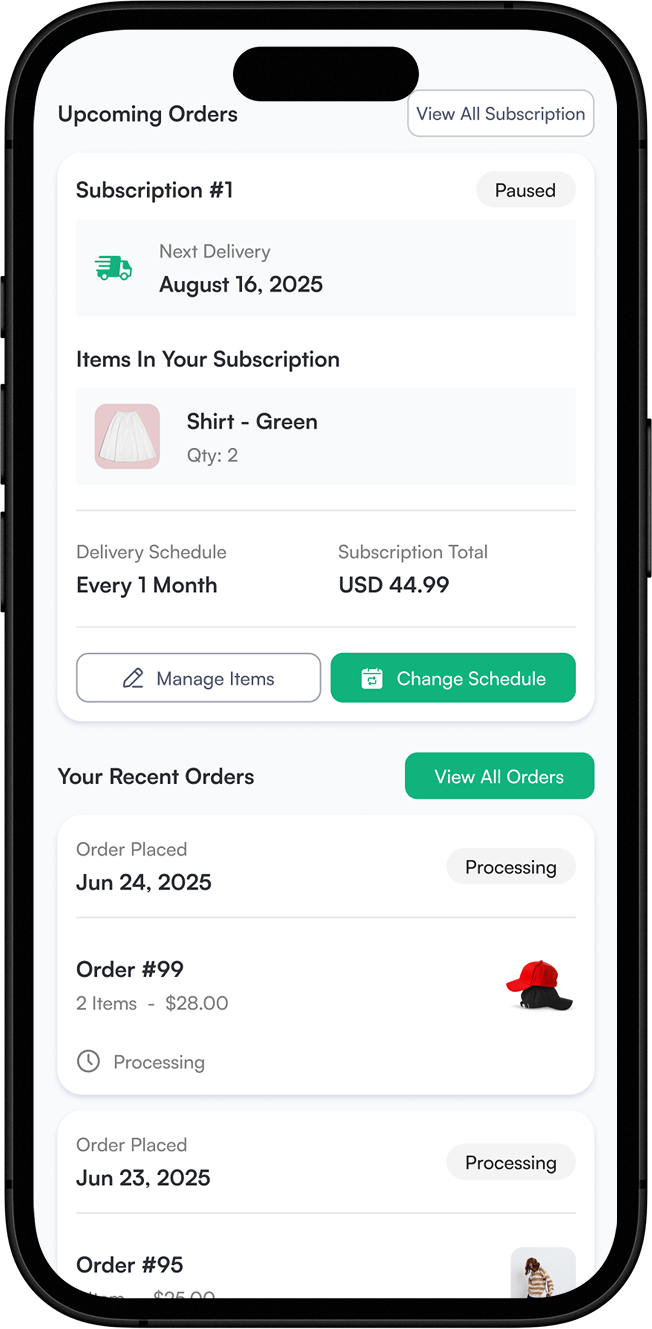
Customers save as many billing and shipping addresses as they need and manage the cards on their account. Subscribers can move a subscription to a new address or card themselves.
- Several saved addresses, no plugin needed
- Saved payment methods in one place
- Subscription card and address updates
Everything in tracking & the portal
Included on every plan.
Branded tracking page
Your logo, colors and portal content on every order.
Your own domain
Run the portal on a domain like track.yourstore.com.
Split shipments
Every box tracked and shown on one order timeline.
50+ carriers
Tracking updates arrive automatically as carriers scan.
Add tracking
Add a number on the order and it syncs to WooCommerce.
Shipping labels
Compare rates, buy and print from the order page.
Delivery dates
Estimated delivery, plus a heads-up when it slips.
Code sign-in
Six-digit email codes instead of passwords.
Guest order lookup
Find an order by number, tracking number or ZIP.
Buy again
Past orders link straight back to the cart.
Self-serve actions
Report issues, change addresses or cancel from the order page.
Banners
Promote launches and offers inside the portal.
FAQs by status
Show the right answer for “in transit” or “delivered”.
Store sign-in sync
Customers signed in to your WooCommerce store skip the code.
Address book
Several saved billing and shipping addresses, no extra plugin.
Payment methods
Customers manage the cards saved to their account.
Subscription details
Update the card or address on a subscription.
Tracking questions
Do I still need a shipment tracking plugin?
Not to add tracking or to track packages. Numbers you add or buy labels for in OrderCtrl are saved to the WooCommerce order in the Shipment Tracking format, and OrderCtrl sends the shipping emails and runs the tracking page. Keep a tracking plugin only if you want WooCommerce’s own order emails and My Account page to show tracking links, since WooCommerce doesn’t display them on its own.
Which shipment tracking plugins work?
OrderCtrl reads the WooCommerce Shipment Tracking plugin (and plugins that store tracking the same way, like Advanced Shipment Tracking). It can also read a custom order field you choose, or tracking numbers written in order notes. Numbers added in OrderCtrl are merged in without touching the ones already there.
Can I buy shipping labels in OrderCtrl?
Yes, one order at a time from the order page. Use OrderCtrl’s label account and pay with credits, with the price shown before you buy, or connect your own Shippo or EasyPost account and keep your own rates. Unused labels can be voided.
Can one order have several tracking numbers?
Yes. Each tracking number becomes its own shipment, and the portal shows them together on one order.
Does the portal replace my WooCommerce “My account” page?
It sits next to it. You can link to it from your store, and customers who are signed in to your store can be signed in to the portal too.
Can customers save more than one address?
Yes. Customers keep as many billing and shipping addresses as they need in the portal’s address book.
Can customers manage their payment methods?
Yes. Signed-in customers see the payment methods saved to their account, and subscribers can change the card used for a subscription’s renewals.
Can I use my own domain?
Yes. Add a domain like track.yourstore.com in settings and OrderCtrl walks you through the DNS records.