Order editing & subscriptions
Fix, cancel or skip without a ticket.
Customers change addresses, cancel and manage subscriptions in the portal. Your team refunds, replaces and edits orders in one click, and every change syncs to WooCommerce.
Customer self-service
Rules decide what customers can change.
Turn each action on or off and set the limits: how long after ordering, which order statuses, and whether it needs your approval. Customers see clear reasons when a change isn’t allowed.
- Cancel with a reason and automatic refund
- Change the address until it ships
- Approve requests or let them run
One-click actions for your team
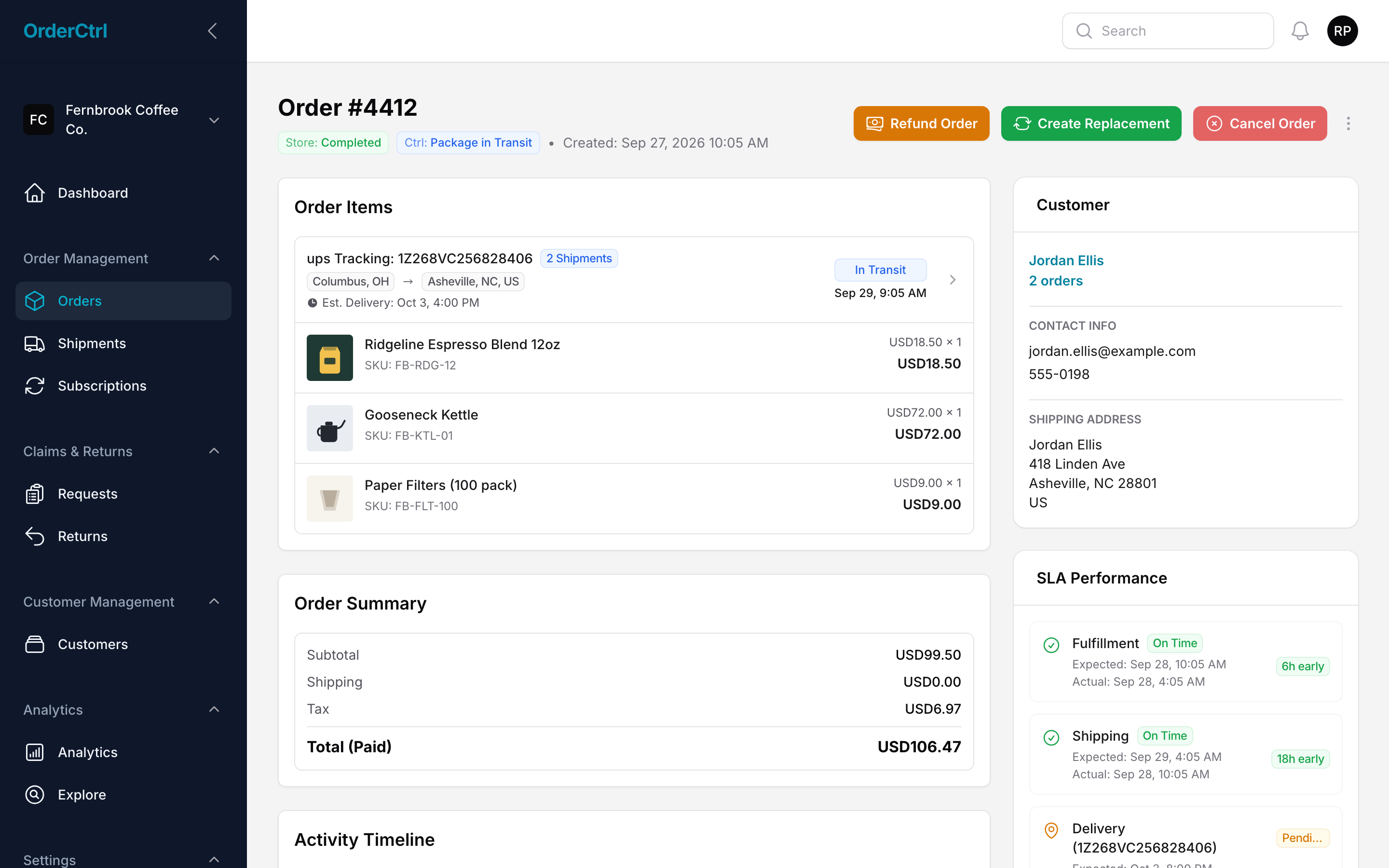
Every fix on one order screen.
Refund all or part of an order, cancel with or without a refund, send a replacement, add a discount or fix the address. Add a tracking number or buy a shipping label from the same screen. OrderCtrl applies it in WooCommerce and logs it on the timeline.
- Per-item and partial refunds
- Restock items on cancel
- Tracking and labels synced to WooCommerce
- Every action on the order timeline
Subscriptions
Customers skip a delivery instead of cancelling.
Customers pause until a date, skip the next order, move the delivery date, change how often it arrives, swap products or skip one item once. Before they cancel, you can offer a discount and ask why they’re leaving.
- Skip one item once, back next time
- Cancel offers and exit survey
- Update address and payment method
Team permissions
The right access for each teammate.
Owners and admins manage settings, billing and the team. Analysts work orders, claims and analytics without touching store settings or integrations.
- Owner, admin and analyst roles
- Invite teammates by email
- Every action logged on the order
Everything in order editing & subscriptions
Included on every plan.
Customer cancel
With reasons, time windows and automatic refunds.
Address changes
Until the order ships, synced to WooCommerce.
Refunds
Full, partial or per item, with shipping and fees.
Tracking & labels
Add tracking or buy a label on the order.
Replacements
Create a replacement order in one click.
Discounts
Add a goodwill discount to an order.
Pause
Customers pause until a date and tell you why.
Skip & swap
Skip the next order or one item once, or swap to another product.
Reschedule
Move the next delivery date or change how often it arrives.
Cancel offers
A discount and exit survey before they go.
Subscription emails
Paused, renewed, cancelled and failed payment emails.
Team roles
Owner, admin and analyst access for your team.
Change history
Every change shown on the order or subscription.
Coming soon: letting customers turn a one-time purchase into a subscription.