Blog / Guide
Too many plugins: what large WooCommerce stores lose after checkout
We’ve spent decades building on WooCommerce and Shopify, and we love both. WooCommerce gives you something Shopify never will: the store is truly yours. Your code, your hosting, your data, and the freedom to make it do anything. That freedom is also how a growing store ends up with a plugin for every job after checkout.
How the stack grows
It usually happens one sensible decision at a time:
- A shipment tracking plugin to add tracking numbers, then a tracking service to get live updates, and often a separate label tool.
- A returns plugin, then a store credit or gift card plugin so refunds don’t all go back to cards.
- Package protection from a third party.
- WooCommerce Subscriptions, then add-ons for skip, pause and cancellation offers.
- An email customizer, an automation tool, a helpdesk integration.
Every one of those is a reasonable choice. Look at the WooCommerce Marketplace and you’ll see why the totals add up: WooCommerce Subscriptions is $279 a year, AutomateWoo $159, a returns extension $99 to $129, a tracking extension $59 to $129, and subscription add-ons $39 to $99 each, before any per-shipment tracking service or protection provider.
“But our plugins work fine”
Often they do. Well-built plugins on good hosting can run together for years. The cost isn’t that WooCommerce breaks. It’s everything around it:
- Updates and testing. More plugins means more updates, and each one is a chance for two plugins to disagree. Most large stores test updates on staging before they touch production.
- Admin load. Every plugin adds its own code and screens to wp-admin. Even on great hosting, a busy order screen with several plugin panels can feel slow.
- Data in different places. Tracking lives in one plugin, the return in another, the subscription in a third. Each has its own idea of what an order looks like.
The real cost: your customers feel the seams
Customers don’t see your plugin list. They see the result: a tracking page that looks different from your store, a returns form somewhere else, a subscription screen with its own layout, and emails that don’t sound alike. Each step works. Together, it doesn’t feel like one brand.
Shopify has raised expectations here. Its customer accounts use one-time sign-in codes instead of passwords, and self-serve returns and cancellations live on the same order status page. Shoppers who buy from Shopify stores bring those expectations to yours.
Your support team feels it too
For a CX agent, one “where’s my stuff?” ticket can mean opening the order in wp-admin, checking the tracking plugin, looking up the return in another screen, checking the subscription, and then writing a reply from scratch. wp-admin is reliable and endlessly flexible, but it wasn’t designed as a fast support console, and next to tools like the Shopify or Stripe dashboards it can feel dated.
What agents need is simple: the whole story in one view, ideally inside the helpdesk they already use, plus a head start on the reply.
How to consolidate without leaving WooCommerce
- List every post-purchase moment. Tracking, delays, address changes, cancellations, returns, claims, subscription changes, emails.
- Map each moment to a tool and a screen. Count how many places a customer and an agent have to visit.
- Replace overlap first. If two plugins send shipping emails or both touch tracking, pick one.
- Prefer tools that share one order record. When tracking, claims and subscriptions see the same data, rules and analytics can connect them.
- Move heavy work out of wp-admin. Keep WooCommerce for the store and checkout, and let your team work in a faster app for everything after.
Where OrderCtrl fits
OrderCtrl is built for merchants who love WooCommerce and want a modern experience after checkout. It connects to your store in one approval and runs alongside it, not inside wp-admin:
- One customer portal for tracking every box, reporting problems with photos, changing an address before it ships, returns and exchanges, and WooCommerce Subscriptions changes, with email code sign-in on your own domain.
- A workspace for day-to-day operations: orders, shipments, tracking numbers and shipping labels synced to WooCommerce, refunds, cancellations, address changes, returns and subscriptions, so your team isn’t living in wp-admin.
- One order view for your team, plus an OrderCtrl card inside Gorgias, Zendesk, Help Scout, Freshdesk, Gladly, Kustomer, Re:amaze and Richpanel, with an AI-drafted reply your agent can review.
- Rules and automations that catch stalled or lost packages and decide offers by order value, customer history and protection.
- Package protection under your own name, where you keep the whole fee.
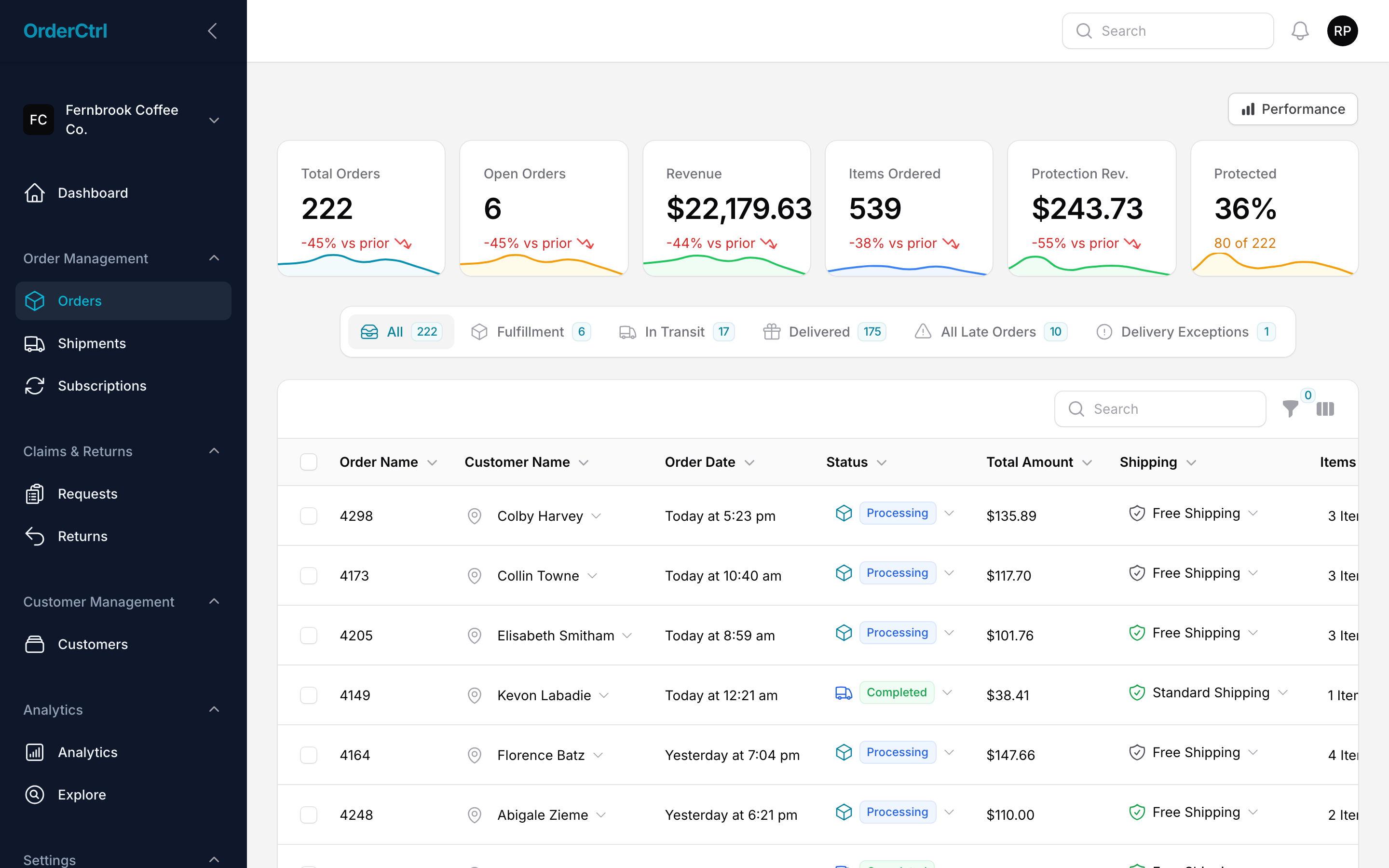
You keep your theme, checkout, data and the extensions you love. You just stop asking customers and agents to jump between five of them.
Frequently asked questions
How many plugins is too many for WooCommerce?
There’s no fixed number. Well-built plugins on good hosting can run together fine. The cost shows up in licenses, updates, compatibility testing and how many screens your team and customers have to use.
Do I need to leave WooCommerce to get a modern post-purchase experience?
No. You can keep WooCommerce for your store and checkout and add a platform that handles tracking, returns, subscriptions changes and support context in one place.