Blog / Guide
Are you losing customers after the sale?
Getting a customer is only half the job. Everything that happens after they click “Place order” decides whether they buy again, tell a friend, or quietly never come back. For a lot of WooCommerce stores, that part of the journey is spread across a handful of apps that don’t talk to each other.
The app ecosystem cuts both ways
WooCommerce’s biggest strength is how far you can extend it. Need subscriptions? There’s an extension. Tracking? Another one. Returns, lost-package claims, address changes? One more each. That flexibility lets you launch fast, but it also creates fragmentation.
What it looks like to your customer
- To manage a subscription, they go to one screen with its own look and feel.
- To track an order, they click through to a page branded by a tracking company or a carrier, not you.
- When something goes wrong, like a lost or damaged package, they’re sent somewhere else to file a claim.
- To cancel or return, there’s yet another destination.
- To fix a typo in their address, they usually have to email you and hope it hasn’t shipped.
Each step makes sense on its own. Together, they bounce the customer between interfaces, logins and brands until they start to wonder who they’re actually buying from.
Why fragmentation hurts
- Brand disconnect. Customers feel like they’re dealing with several companies instead of one.
- More support tickets. When customers can’t find the answer, they write in.
- Slower support. Your team switches between tools to piece together one customer’s story.
- Inconsistent branding. Keeping every third-party page on brand takes time and is rarely perfect.
- Less trust. A clunky experience makes a good brand feel less reliable.
How the big retailers get it right
Large retailers like Chewy, Zappos and Wayfair are known for keeping the post-purchase experience inside one account. Tracking, returns, reorders and account changes all live behind the same login, with the same branding and tone. That consistency gives customers a sense of control, which is a big part of why they come back.
Chewy is a good example. It competes with Amazon and Walmart, yet it’s built a loyal customer base around its Autoship subscriptions and a reputation for helpful, proactive service. The product range matters, but so does the fact that every interaction feels like the same company.
For smaller brands, building that kind of unified experience used to be out of reach.
Practical ways to close the gap
1. Consolidate where you can
Every tool you add is another place for customers to land. When you replace or add a tool, favor ones that cover more of the journey, so tracking, returns and subscription changes don’t each need their own app.
2. Brand every touchpoint
Use your logo, colors and voice on tracking pages, emails and return flows. Put tracking on your own domain where possible, so customers stay with you instead of on a carrier’s site.
3. Put the information in one place for your team
One view of each customer’s orders, shipments, subscriptions and past issues makes support faster and more consistent. If your agents open five tabs to answer one ticket, start here.
4. Let customers fix things themselves
Most post-purchase tickets are simple: where is it, can I change the address, can I skip next month. Self-service for those moments takes work off your team and is usually what customers prefer anyway.
5. Consider a unified platform
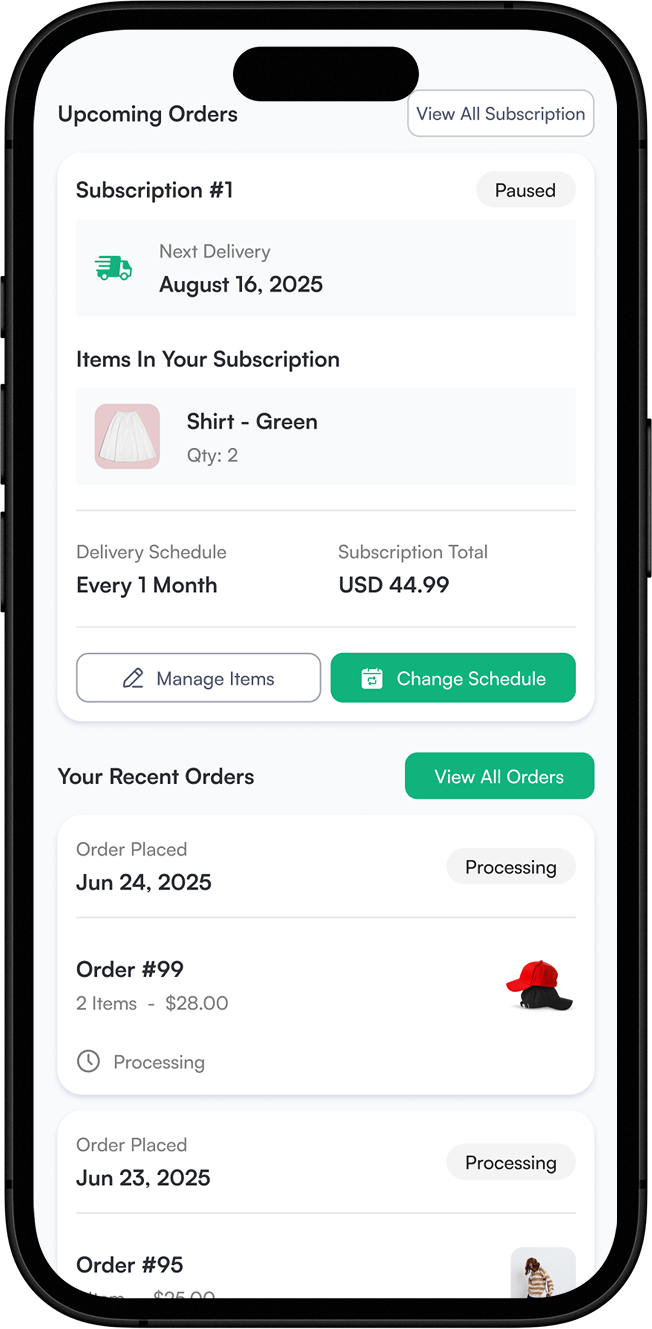
Platforms like OrderCtrl bring tracking, claims, returns, order changes and subscription self-service into one branded portal for WooCommerce. No single tool solves everything, but consolidating the core post-purchase jobs reduces how often customers get bounced around.
What a unified setup looks like in OrderCtrl
- Tracking and proactive emails. Every shipment, including split shipments, on one order timeline, with emails when something changes or goes wrong.
- Claims and resolutions. Customers report lost, damaged or missing items with photos, and your rules decide whether to refund, issue store credit, exchange or replace.
- One customer portal. Customers sign in with an email code to track orders, fix an address before it ships, report problems and manage WooCommerce Subscriptions.
- Your helpdesk. An OrderCtrl card in Gorgias, Zendesk, Help Scout, Freshdesk, Gladly, Kustomer, Re:amaze and Richpanel puts the order history in front of your agents.
- Rules that fit your store. Offers and approvals can depend on order value, customer history, product, carrier and whether the order was protected.
OrderCtrl works with WooCommerce and WooCommerce Subscriptions today, with Shopify and BigCommerce coming soon.
The takeaway
The stores that win the next purchase are the ones that treat everything after checkout as part of the brand. You don’t need an enterprise budget to get there. Start by counting how many places a customer can end up after they buy, then bring them back together one step at a time.