Stack cost calculator
What does your stack after checkout cost?
Add up the tracking, returns and protection tools you pay for today, then compare them with one OrderCtrl plan. If you offer package protection, include it: with OrderCtrl the whole fee stays with your store.
Your volume
Orders that ship in more than one box use more than one shipment.
Estimated volume: 800 shipments/month. OrderCtrl bills one credit per tracked shipment.
Tools you’d replace
Tick what you pay for today. Edit any price to match your invoice.
The estimate multiplies your fee by monthly orders and the share of customers who add protection.
Set “Provider pays you” to the share of fees in your contract. Leave it at 0% if your provider keeps the whole fee or you don’t offer protection yet.
All selected tool amounts are monthly equivalents; annual licenses are billed annually at the published amount. TrackShip and Advanced Shipment Tracking can be used together, so select only the license you would actually stop paying for.
WooCommerce Subscriptions ($279/year) remains the recurring billing engine for stores using it with OrderCtrl; it is not counted as removable savings. See current price. Postage, carrier rates and transaction fees are excluded.
What the number leaves out
License fees are the easy part to count.
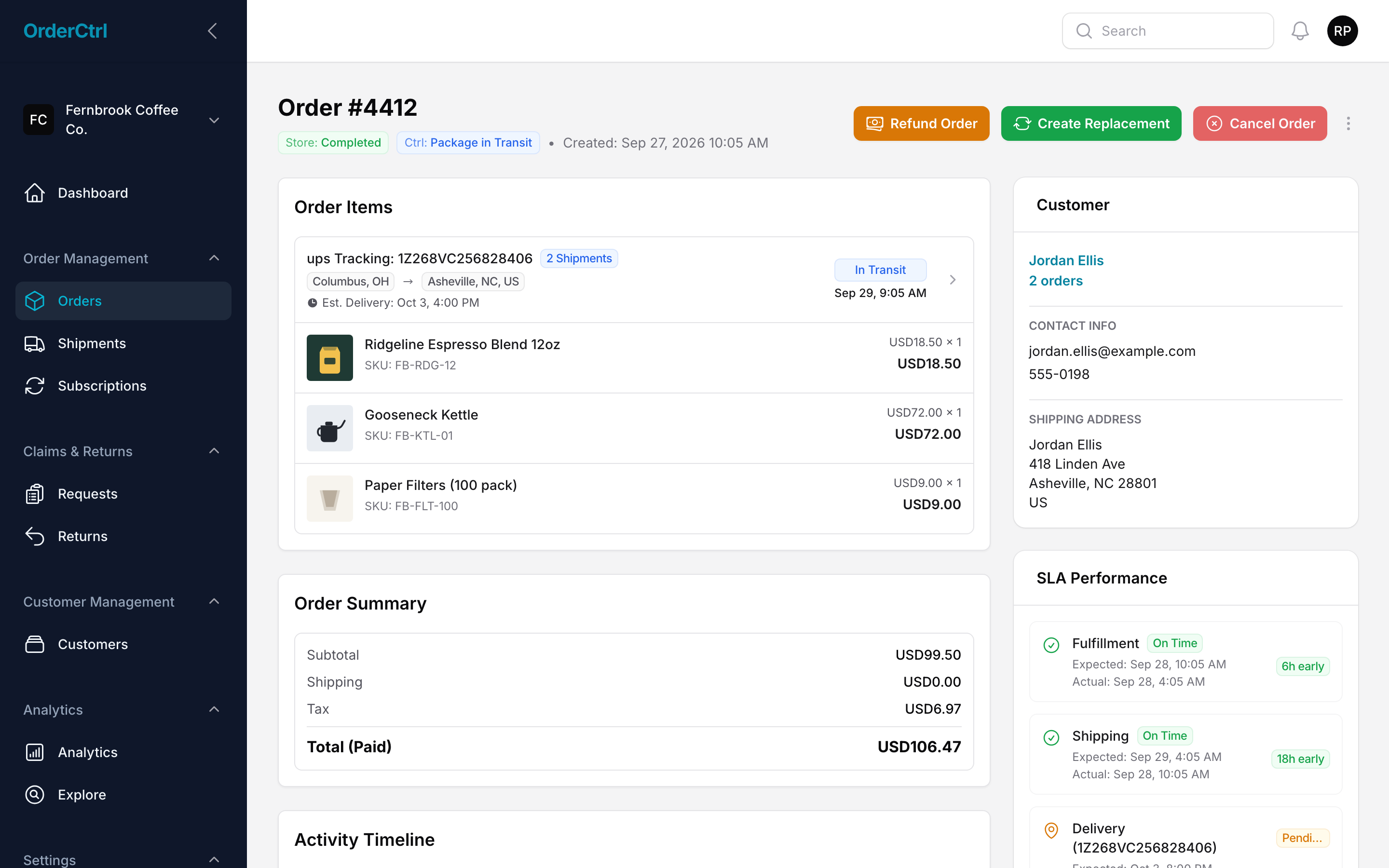
The bigger cost is the work between tools: the tickets, the tab-switching and the fixes that wait. Here’s what that work looks like in OrderCtrl.
Tickets that never get written
“Where’s my order?” answered before it’s asked.
Customers see every box, a live delivery date and a button to fix the address or report a problem, on one branded page. Most of those emails never get sent.
- Every box of a split order on one page
- Address changes and issue reports, within your rules
- Your logo, colors and domain
One screen per ticket
The whole order story, inside the ticket.
When a customer does write in, the OrderCtrl card shows their orders, shipments, past claims and what your policy allows, right in your helpdesk. Agents reply with a draft that already has the details.
- Works with 8 helpdesks
- Tracking, claims and policy in one card
- AI reply drafts your agent reviews
 OrderCtrl context
Problems caught early
The stalled box gets flagged before the customer notices.
OrderCtrl checks every shipment against your delivery promise. When one goes quiet, it tags the order, alerts your team and emails the customer their options, without anyone watching a dashboard.
- Delayed, stalled and lost shipments
- Your cut-off, ship days and holidays
- Automations that act on what’s flagged
Fixes in one click
Refund, replace or reship without opening wp-admin.
Tracking, claims and customer history sit right next to the buttons. Every change syncs back to WooCommerce and lands on the order timeline, so nothing gets done twice.
- Partial and per-item refunds
- Replacements and cancellations
- Tracking numbers and labels on the order
How the estimate works
OrderCtrl is shown at the smallest plan that covers your monthly shipments: free for 100, then $40 for 500, $60 for 1,000 and $165 for 3,000, with every feature on every plan. Your tools use published prices turned into a monthly amount (annual licenses divided by 12); change any price to match your invoice. Protection is monthly orders × opt-in rate × fee, minus the share your current provider already pays you.
Published price references checked October 6, 2026: Advanced Shipment Tracking Pro: $129/year · Woo Shipment Tracking: $59/year · Woo Returns and Warranty Requests: $99/year · Zorem Returns for WooCommerce: $129/year · TrackShip price source. Prices can change; confirm with each vendor.